When a gimbal is out of balance, the motors spend the whole shoot fighting the weight. The battery runs down faster, and you get a slow, low shake that careful walking won't fix. DJI also warns that a badly unbalanced gimbal can overheat and put itself to sleep. Balancing takes about five minutes, and it saves you trouble for the rest of the day.
Before you start
- Turn the gimbal off or put it to sleep. If the motors are on while you balance, you'll be fighting them.
- Take the lens cap off. It's easy to forget, and the balance changes as soon as you take it off to shoot.
- Set a zoom lens to the focal length you'll shoot at. If it's an optical zoom lens, DJI also says to turn the camera on first. If you balance at 24mm and then shoot at 70mm, the balance is lost.
- Fit everything you plan to use: matte box, monitor, follow-focus motor. Balance the whole rig as it will be on the shoot.
Balance the four axes in order
DJI's order for the RS 4 Pro is vertical tilt, tilt depth, roll, then pan. Stick to it. If you jump around, fixing one axis throws another out, and you can spend half an hour going over the same axes again and again.
1. Vertical tilt
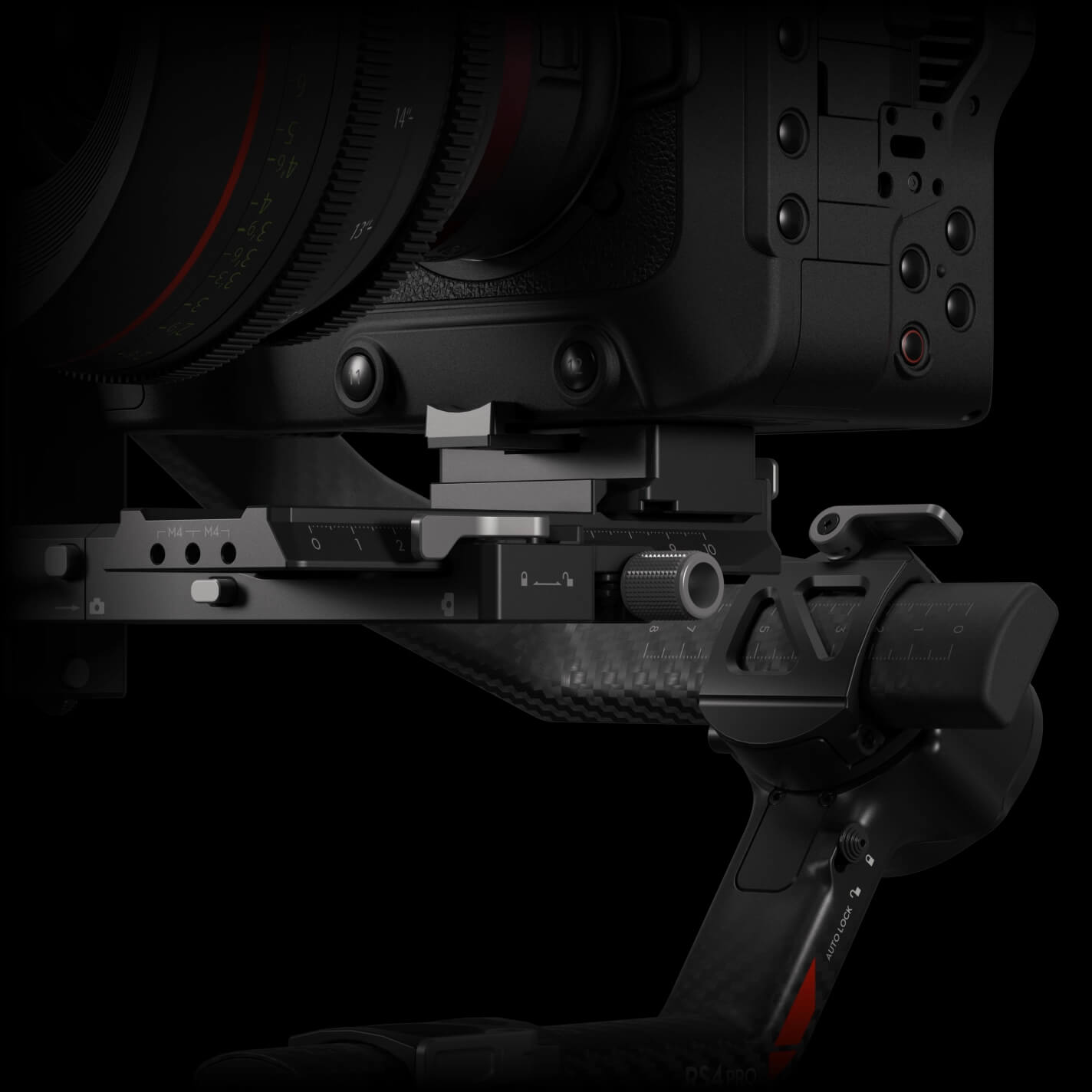
Release the tilt axis lock and turn the axis so the lens points straight up. If the camera won't stay there, it's top-heavy or bottom-heavy. Loosen the knob on the mounting plate and slide the mounting plate backward or forward (backward if the camera is top-heavy, forward if it's bottom-heavy) until the camera stays pointing up on its own. Hold the camera pointing up while you tighten the knob.
2. Tilt depth
Turn the tilt axis so the lens points forward, and check whether the camera is front-heavy or back-heavy. If it's back-heavy, move the camera forward. If it's front-heavy, move it backward. To do this, flip open the lever on the mounting plate, turn the knob to move the lower quick-release plate backward or forward, then move the lever back to the locked position. The tilt axis is balanced when the camera stays steady tilted 45 degrees up or down.
3. Roll
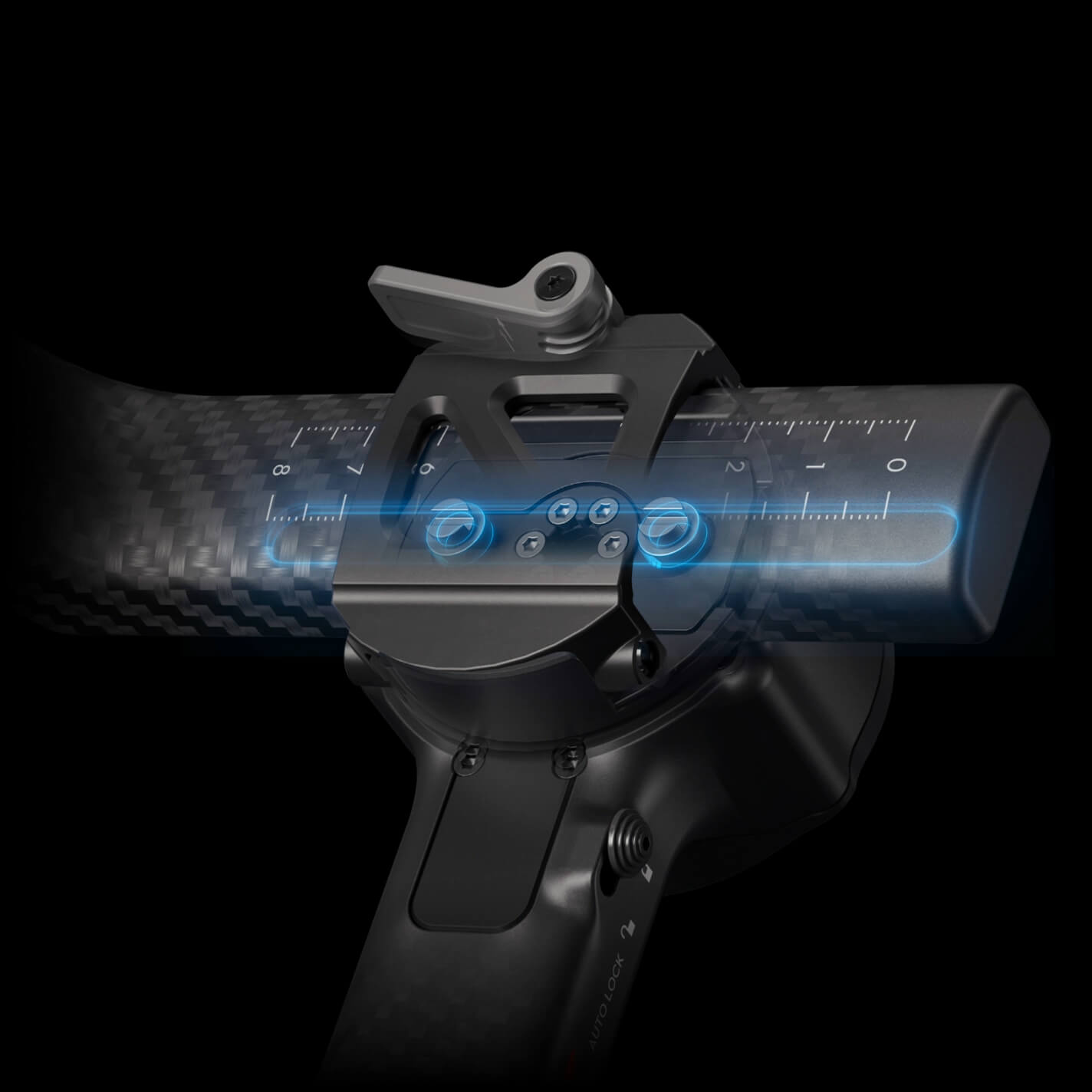
Hold the arm lightly to support it, release the roll axis lock, and watch which way the camera swings. The camera needs to move the other way. Flip open the lever on the roll arm. Then, with one hand resting lightly on the camera, slide the roll arm a little at a time until the camera stays level. Move the lever back to locked, then lock the roll axis.
4. Pan
This is the last check, and the one people skip. Release the pan axis lock. Holding the grip, tilt the gimbal forward and turn the pan arm until it's parallel with you. If the lens tilts or turns one way, the camera needs to move the other way: flip open the lever on the pan axis, slide the pan axis arm, then put the lever back to locked. The pan axis is balanced when the camera stays steady as you turn the pan while tilting the grip. An unbalanced pan axis causes slow drift in a long take.
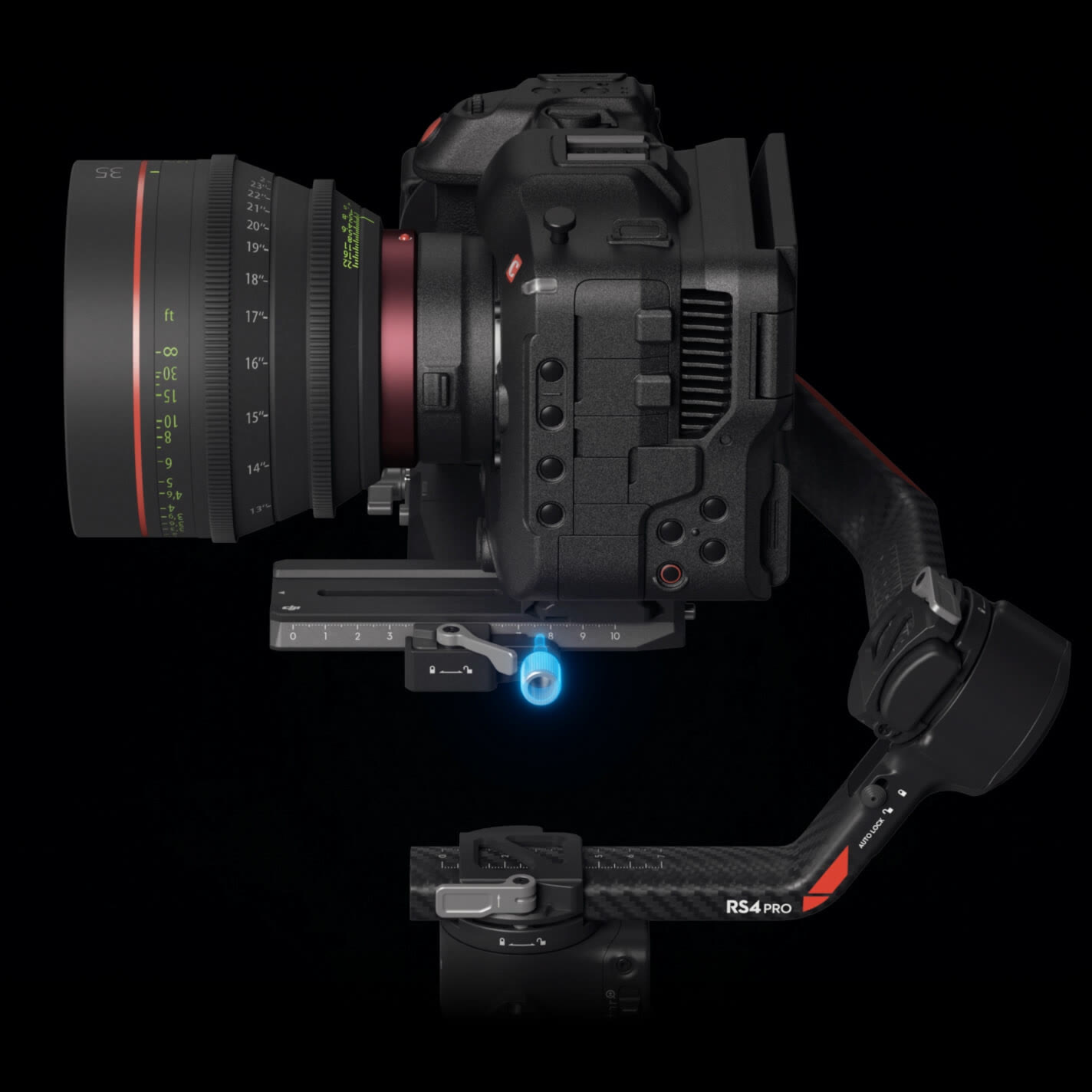
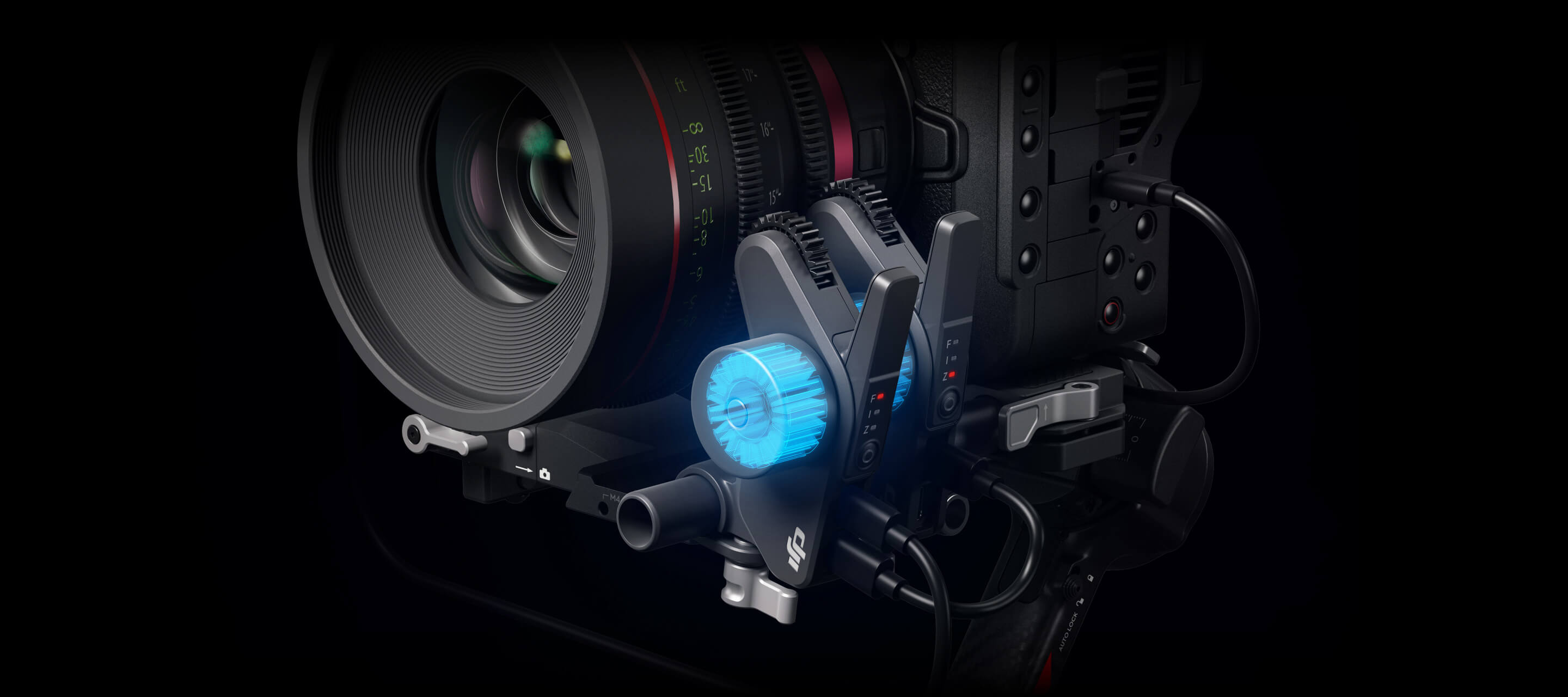
How to test it
Turn the gimbal on and let the motors settle. Then gently push the camera off level in each direction and let go. It should go back to level and stay there. If it drifts, or the motors hum, that axis still isn't balanced. Go back and balance it by hand instead of trying to make up for it in the app.
The RS 4 Pro also shows a balance status bar on its touchscreen. Green or grey means balanced, yellow means slightly out, and red means badly out. DJI suggests tilting the gimbal about 15 degrees left or right to check it.
When you need to balance again
When you switch between horizontal and vertical shooting. The weight sits differently in each, so check all four axes again after you switch.
When you change lens. A different lens moves the centre of gravity, sometimes by a lot. If you swap lenses mid-shoot and the footage suddenly looks worse, this is why. DJI also recommends running the automatic calibration if the balance status turns red after a lens or focal length change.
A common situation: you're filming a wedding in Garki, with a wide lens for the arrivals and a longer one for the speeches. You swap lenses and go straight back to shooting, so the gimbal is now out of balance. The battery drops faster, and the speeches can come out with that slow shake. About five minutes of balancing during the swap would have stopped it.
If it still drifts
If it still drifts after you've balanced it again, check that nothing has moved: a knob you didn't tighten, a lens cap still on, or a cable pulling on the camera. Then go through the axes again in DJI's order, and take the most care with pan. If the status bar stays red after a lens or focal length change, run the automatic calibration.
Renting the RS 4 Pro
When you're ready, you can rent the RS 4 Pro Combo here, or first read what the kit includes and what it costs.